Deploy the stack
Two commands: create the cluster, apply the releases. Ordering, waiting, and dependency
resolution are handled by the helmfile command.
git clone https://github.com/pxcamus/debezium-platform-lab.git
cd debezium-platform-lab

cp .env.example .env
just kind-recreate
just apply
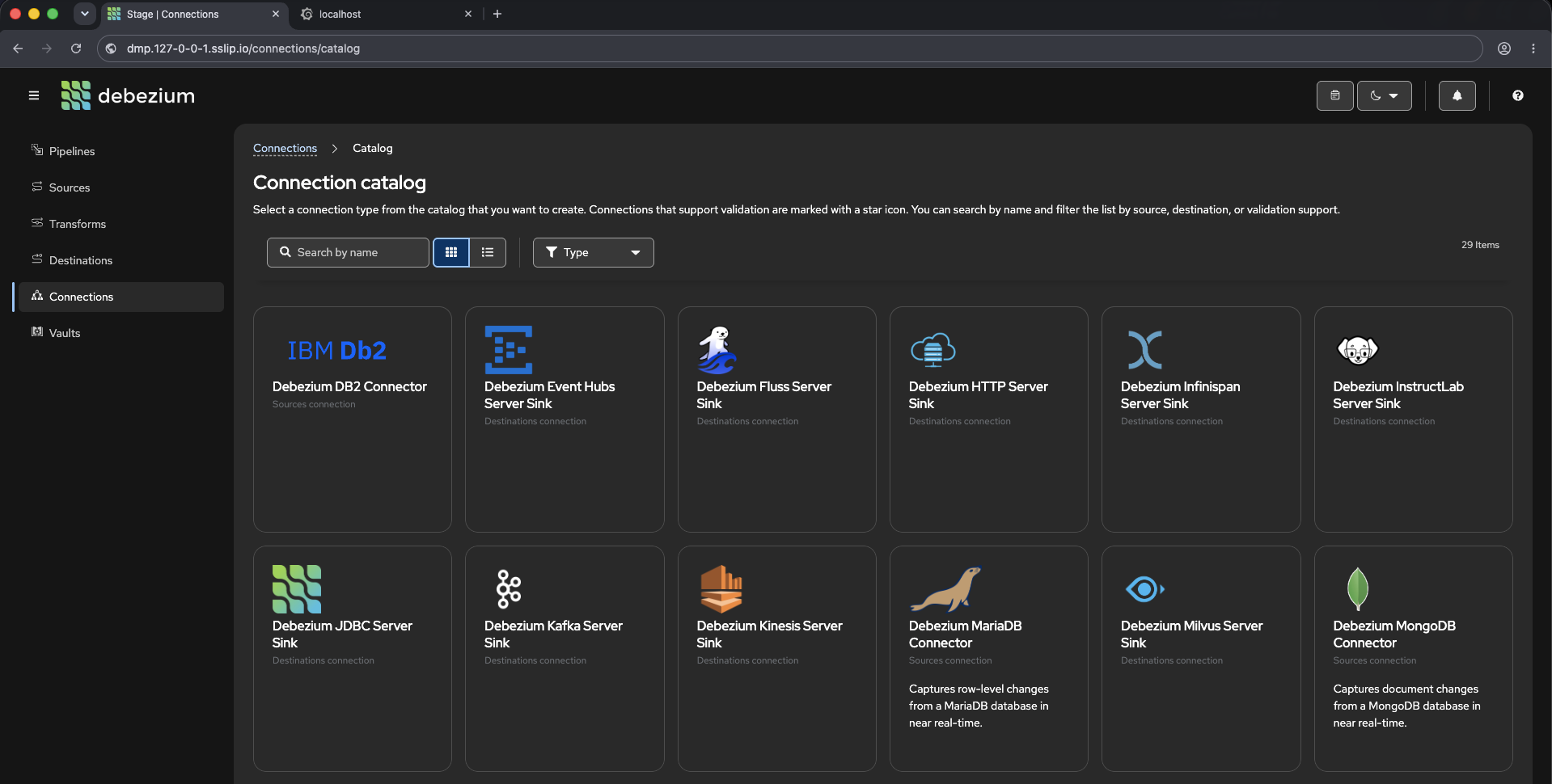
When just apply finishes, open http://dmp.127-0-0-1.sslip.io/ in a browser. That is the stage
UI — the screenshot above is its connection catalog, listing every source and destination the
platform can create.
Everything after the clone runs from the repository root — .env, the cluster config and the
helmfile are all resolved relative to it.
Configure
.env is the only file you edit. Copy the template and change nothing for a local run:
The defaults matter in one place. DPL_DOMAIN is 127-0-0-1.sslip.io, a public DNS name
that resolves to 127.0.0.1 — which is where Kind publishes ports 80 and 443. That is what
makes dmp.127-0-0-1.sslip.io reach your cluster with no /etc/hosts editing.
How the two files layer
All configuration is environment variables, read from two files by
scripts/lib/env.sh:
deploy/environment/versions.env— shared, non-sensitive version pins, committed..env— your secrets and host-specific overrides, git-ignored.
Both are sourced in that order, so .env wins. Every just recipe loads them, as does
scripts/with-env.sh for one-off commands and scripts/validate-helm.sh for offline checks.
Two consequences worth knowing:
- Version pins live in
versions.envonly..envnever duplicates them, which is why a CI checkout with no.envat all still renders. .envoverrides your shell. Because the loader sources withset -a, an exported variable does not take precedence —DPL_ENV=homelab just hf templatesilently renderslocalif.envsayslocal. Edit.envto change environments.
.env.example is deliberately minimal: only variables with no default anywhere, or whose
default is wrong when you run from your own machine.
Every variable
| Variable | Purpose | Default |
|---|---|---|
DPL_ENV |
Deployment environment; selects deploy/values/<component>/<DPL_ENV>.yaml.gotmpl |
local |
DPL_DOMAIN |
Base DNS zone; every ingress host is <component>.${DPL_DOMAIN} |
required — rendered with requiredEnv, so helmfile fails outright if unset |
DPL_DEBEZIUM_VERSION |
Debezium Helm chart version | required, from versions.env |
DPL_NAMESPACE |
Debezium Platform namespace | dmp |
DPL_OPERATOR_MODE |
bundled (operator as a platform subchart) or standalone (its own release, image pinned independently) |
bundled |
DPL_CLUSTER_TYPE |
Cluster provider: kind or k3s |
kind |
DPL_DMP_RESOURCE_PREFIX / DPL_DMP_ENVIRONMENT |
Prefix for deterministic DMP resource names | — |
DPL_DMP_KAFKA_BOOTSTRAP_SERVERS |
Kafka bootstrap for DMP payloads | — |
Known DPL_ENV values: local and public (self-hosted k3s, real DNS, cert-manager
TLS). Each has a matching values file under deploy/values/<component>/.
just cluster-recreate handles kind only and refuses DPL_CLUSTER_TYPE=k3s rather
than doing something surprising — see Deploy to k3s for creating
that cluster.
DMP JSON payloads use ${ENV_VAR} syntax, expanded from the environment when the
payload is loaded.
Create the cluster
Deletes any existing dmp cluster, creates a fresh one from
deploy/clusters/kind/kind-ingress.yaml, and points kubectl at it. The cluster config maps
host ports 80 and 443 into the node, so the ingress controller is reachable from your browser.
Destructive by design — it is the fastest way back to a known state when an experiment goes sideways.
See what will be installed
That is the whole default installation: the platform, an ingress controller, and monitoring. Databases, Kafka, and the other optional components are switched off until you ask for them.
This reads the helmfile, not the cluster — it answers "what would I get", so you can run it before creating a cluster at all.
Apply the releases
Every enabled release, in dependency order, waiting for each to become ready before starting what depends on it. Safe to re-run: releases already at the desired state are left alone.
Expect the first run to take several minutes on a cold image cache — kube-prometheus-stack
alone is a large chart with very large CRDs.
To apply a subset, pass any helmfile selector through:
Verify
Every pod in dmp, monitoring and ingress-nginx should reach Running. Then the stage
UI at http://dmp.127-0-0-1.sslip.io and Grafana at http://grafana.127-0-0-1.sslip.io
(user admin, password grafanapassword — the cluster is disposable and reachable only over
loopback).
Other commands
just hf passes anything through to helmfile against this repository's state file:
Releases carry app=<release-name> labels, plus infra=true on the ingress controller and
the monitoring stack. See
deploy/helmfile.yaml.gotmpl.
Optional components are enabled with state values rather than selectors, because a selector cannot switch on something the helmfile has gated off:
Validate without a cluster
Lints the charts, asserts that the default installation is exactly the four releases above, and
renders every environment through kubeconform. CI runs the same script on changes under
deploy/ (helm-validation.yaml).
Tear down
Next: run your first pipeline. If something failed, see Troubleshooting.